October 19, 2026
What Breaks in the First 90 Days of Digital Signage
The real problems that hit screens in the first 90 days after rollout, what each one costs to fix, and how to scope your project so they do not happen.
By Timothy Carter

Most signage buyers assume the hard part is picking the vendor. The hard part is the twelve weeks after the install truck leaves. That is when the lunch board is still showing breakfast at 11:15, when a promo that ended Sunday is still playing on Tuesday, when the Wi-Fi drops at 12:40 and the screen goes dark during the exact rush you bought it for.
None of that is unusual. A survey cited by one integrator found up to 80% of signage rollouts miss performance targets, usually because of mismatched tech, poor visibility, or systems that fall over under pressure. The problems are predictable enough to design around. Below is what actually breaks in the first 90 days, when it breaks, and how to scope the pilot and contract so it does not break twice.
So where should a careful buyer put the guardrails?
Week 1: The Screen Is Wrong Before Content Even Loads
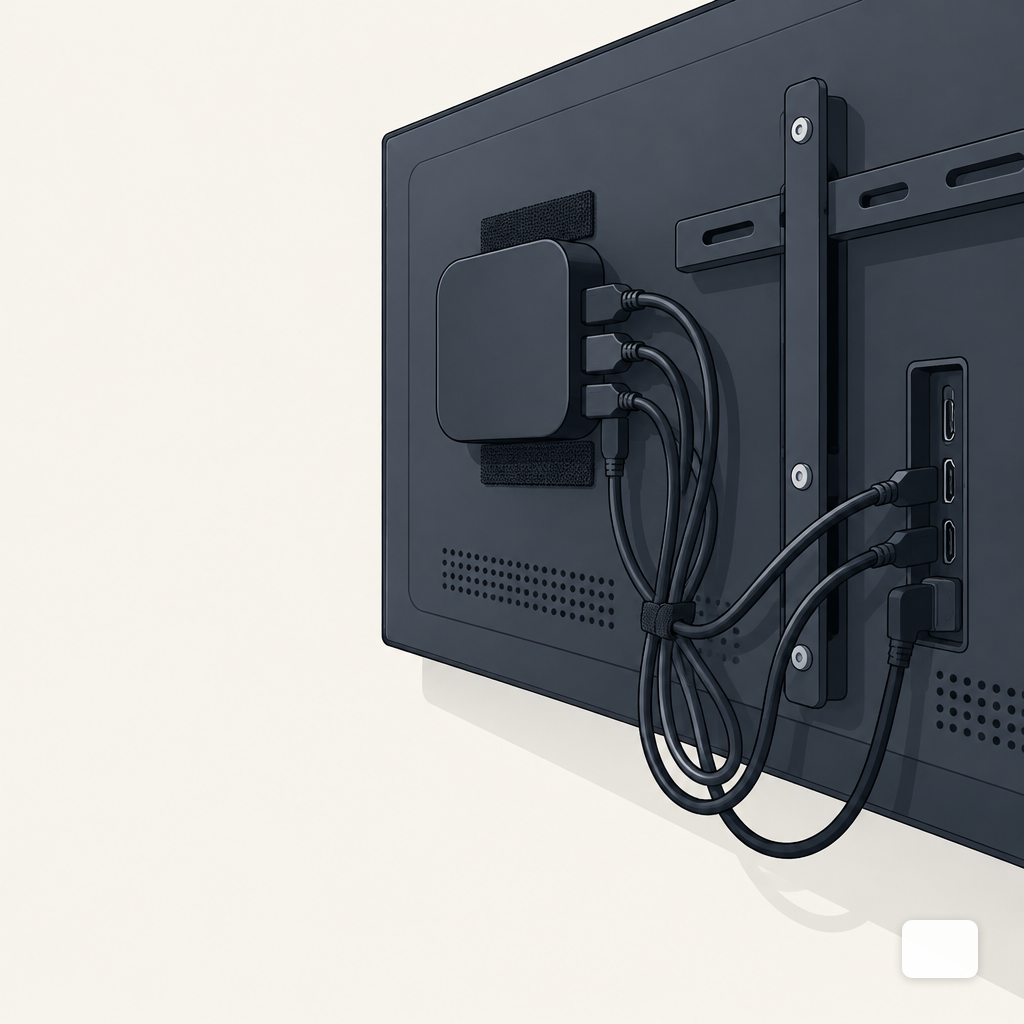
The first failure is almost always physical. The TV is mounted landscape, the content was built portrait. The player is a consumer stick velcroed to the back of the panel, cooking itself. The HDMI run from the ceiling to the wall is 40 feet of cheap passive cable, and the signal drops out whenever the HVAC kicks on.
Aspect ratio is the quiet one. If the screen is 3840x2160 but the templates were built at 1920x1080 and stretched, text antialiasing gets ugly and logos go soft. Lock the canvas size per screen before anyone designs a single layout. If some screens are vertical lobby displays and others are 16:9 menu boards, those are two different content streams, not one.
Cable length is the other quiet one. Standard passive HDMI reliably carries a signal about 25 feet, with signal loss rising sharply past 50; HDMI 2.1 passive cable in practice only goes about 10 feet before degradation. If your drop is longer than that, you need an active cable or an HDMI-over-Ethernet extender, and that needs to be in the install quote, not discovered on day one.
Put this in the contract: a per-location site survey with photos of the mount position, the nearest outlet, the network jack, and the cable path. If the installer will not do that, you are buying their optimism, not their work.
| Failure | When it hits | What it costs | Where to catch it |
|---|---|---|---|
| Wrong aspect ratio | Week 1 | Rebuild templates | Site survey + canvas lock |
| No content owner | Weeks 2-3 | Stale screens, lost trust | Named owner in contract |
| Wrong VLAN / open ports | Weeks 3-6 | IT shuts players off | Pre-install network spec |
| Promos outlive end date | Weeks 4-8 | Customer confusion, discounts | Required end dates at upload |
| Player reboots | Weeks 6-10 | Dark screens at peak | Nightly reboot + watchdog |
| Consumer panel burnout | Weeks 8-12+ | Panel replacement, denied warranty | Commercial panel in spec |
Weeks 2 to 3: Nobody Actually Owns the Content
Hardware works on day one. By week three, the breakfast promo is still up at dinner because the person who was going to update it got pulled onto something else, or never knew it was their job in the first place. One industry writeup puts it plainly: screens go live with great content on day one and drift into irrelevance by week three when the sequence is skipped.
Name the content owner in writing before you sign. One person per site, or one person per brand, with a backup. Give them a weekly 15-minute slot on their calendar. Decide what the default is when there is nothing new: a looping brand reel, the standard menu, a "welcome" lobby card. A schedule gap should never show a black screen or a Windows desktop.
For menu operators, the breakfast, lunch and dinner schedule is the single highest-leverage thing to get right in week one. If the AM, mid, and PM dayparts are not already drawn on a napkin before install day, the first week will be spent reacting to what is on the screen at the wrong time.
Weeks 3 to 6: The Network Fights Back
Around week three, IT runs a scan. Suddenly the players are flagged. They are on the staff Wi-Fi, or on the guest VLAN, or wide open with factory passwords. Signage players typically need outbound HTTPS on port 443 and a dedicated VLAN segment; when they land on the wrong network or behind a restrictive firewall, screens go dark or players sit insecurely on shared subnets.
The default-password problem is worse than it sounds. The Mirai botnet infected IoT devices by scanning the internet and trying a hardcoded list of 62 default username and password combinations like admin/admin and root/root. If your signage player ships with a known default and you leave it on a public-facing network, you are one scan away from being part of someone else's botnet.
Reliability has a network story too. One review found wired Ethernet hit 99.97% uptime for digital signage versus 94.8% for Wi-Fi in dense environments. Across 10 screens that gap is the difference between one dark screen per month and one dark screen per day. If running Ethernet is impossible, pick a player with a strong local cache so the screen keeps playing when the network drops. DigitalSign's browser and Android/Google TV players are built to keep playing from local cache offline, which is the practical answer when the Wi-Fi hiccups at noon.
Scope the pilot so this fight happens on one site, not fifty. Agree with IT on VLAN placement, the firewall rules, and the password-change procedure before any player gets racked.
Weeks 4 to 8: Promos Outlive Their End Date
This is the most embarrassing failure, because customers see it. The Mother's Day board is still up on May 15. The "ends Sunday" ad plays Monday morning. The seasonal LTO is pulled from the kitchen but still in the loop.
The fix is boring: every piece of content gets a start date and an end date at upload time, and the system refuses to publish without one. If your platform does not enforce it, your process has to. A weekly 10-minute audit on Monday morning catches almost all of it. For multi-site operators juggling time zones, that audit lives inside a dayparting plan, not somebody's inbox.
In the contract, ask for scheduled content with explicit end dates, dayparts, and the ability to replace a live promo on short notice without a vendor ticket. On the DigitalSign platform, the scheduler plays by daypart and the AI designer regenerates on-brand variants in minutes, so changing a promo at 10:30 on a Tuesday is not a three-day project.
Weeks 6 to 12: Players Reboot, Panels Burn, Warranties Lapse
By week six the honeymoon ends. Players start rebooting at odd hours. One screen has faint ghosting where the static logo lives. A consumer TV blinks red once and dies on week ten, and the warranty claim gets denied because it was running 16 hours a day in a lobby.
The ghosting is image persistence. On LCDs, persistence can begin after as little as 10 minutes of unchanged content in the same screen location, and dashboards, POS screens and signage loops create the worst conditions for it. Rotate elements, move the logo a few pixels in alternating layouts, and never park a static dashboard on a panel 24/7 without a screensaver loop.
The panel-death problem is warranty, not luck. Commercial signage displays are typically rated for around 50,000 hours of continuous use versus about 15,000 for a consumer TV, which means a consumer panel running 16 hours a day burns through its rated life in roughly 2.6 years. And many consumer TV warranties exclude commercial or continuous use, so a failure in year two in a public space may not be covered at all. Buying commercial panels for the sites you care about is cheaper than replacing consumer panels on your own dime.
The reboot problem is usually a memory leak or a thermal issue. The practical fix is a scheduled nightly reboot at 3 AM, a watchdog that restarts a hung player, and alerts when a player goes offline for more than a few minutes. Build this into the pilot acceptance test, not into year two.
How to Scope the Pilot So All of This Happens Cheaply
The point of a pilot is to meet the failures while they are small. One site, two to four weeks minimum, chosen because it has your hardest install conditions, not your easiest. Write down what "pass" looks like before you start.
A workable pilot acceptance checklist:
- Each screen hits its correct aspect ratio with no scaled or stretched elements.
- Each player sits on an approved VLAN with factory passwords changed.
- Every piece of scheduled content has an end date; no "evergreen" promos.
- A named owner has updated the content at least twice without vendor help.
- Players auto-recover from a 30-minute network drop with cached content.
- Nightly reboot and offline alerts are configured and tested.
Scope the contract to match. Fixed-fee site survey. Clear SLA for a player replacement. Written network requirements the installer signs off on. A rollback plan if the pilot fails. The questions to ask a vendor guide covers the pre-signature side; this is the clause that saves you after.
DigitalSign is free for the first three screens, which is enough to run a real pilot without a purchase order. If the pilot clears the checklist above, you have earned the right to roll out the next 20. If it does not, you have learned what to fix before writing a bigger check. Either way, book a demo or start the free three and run the 90 days with your eyes open.
Timothy Carter
Chief Revenue Officer
Timothy Carter is a digital marketing industry veteran and the Chief Revenue Officer at DigitalSign. With a career spanning over two decades in the dynamic realms of SEO and digital marketing, Tim is a driving force behind revenue strategy. With a flair for the written word, Tim has graced the pages of renowned publications such as Forbes, Entrepreneur, Marketing Land, Search Engine Journal, and ReadWrite, among others. At DigitalSign he writes about the commercial side of the screens a business already owns: what a menu board is worth when it changes with the daypart, what a promo that kept running a week past its end date really costs, and why the signage budget an owner argues about is usually a content problem rather than a hardware one. Beyond his professional pursuits, Tim finds solace in the simple pleasures of life, whether it's mastering the art of disc golf, pounding the pavement on his morning run, or basking in the sun-kissed shores of Hawaii with his beloved wife and family.


