October 5, 2026
Android TV Stick or Dedicated Mini PC for Your Menu Boards
Compare Android TV sticks and mini PCs for digital signage by cost, reliability, heat, and remote control, so you can pick the right player per screen.
By Eric Lamanna

Most operators buying their first batch of signage players reach for the cheapest Android stick on Amazon, because the box on the shelf next to it costs five times more and the stick plays 4K video just fine at home. Six months later the lunch board is still showing breakfast at 11:15 because the player locked up overnight, and someone drives to the location on a Saturday to pull the plug.
The hardware question is not whether a $40 stick can decode your menu loop. It can. The question is whether it will still be decoding it on a Tuesday morning after 90 days of continuous heat, a Wi-Fi hiccup, and a firmware update you did not approve. That is where sticks and mini PCs genuinely diverge, and where the per-screen math stops favoring the obvious choice.
If you have not picked your software yet, read the cloud signage vs media box piece first. This one assumes you already run a browser-based player and are deciding what to plug into the HDMI port.
What Each Class of Player Is Actually Built For
A consumer streaming stick is designed around a specific use pattern: someone turns on the TV in the evening, watches for two to three hours, and turns it off. The chassis is plastic, the SoC is passively cooled by a case the size of a candy bar, and the firmware assumes it will spend most of each day asleep. ScreenCloud warns that consumer-grade media players are intended for household use rather than 24/7 commercial operation, and their plastic construction makes them sensitive to heat and prone to damage when run continuously.
A mini PC is a different animal. Intel's own technical spec for the NUC 13 Pro states the system is qualified for 24x7 sustained operation and demonstrates MTBF above 50,000 hours after 90 days of continuous full load in a 40°C ambient chamber. The Pro and Rugged SKUs are certified by Intel to operate 24/7 for five years at 50 percent system usage with an expected service rate near one percent. That rating is not marketing copy. It is a thermal and electrical envelope the stick was never engineered to meet.
Does your menu board need an industrial MTBF rating? Not always. A gym playing a loop twelve hours a day with the HVAC on is a different thermal environment than a drive-thru menu baking behind glass in July.
The Four Trade-offs That Actually Matter
Spec sheets are long and most of what is on them does not change your week. Four things do.
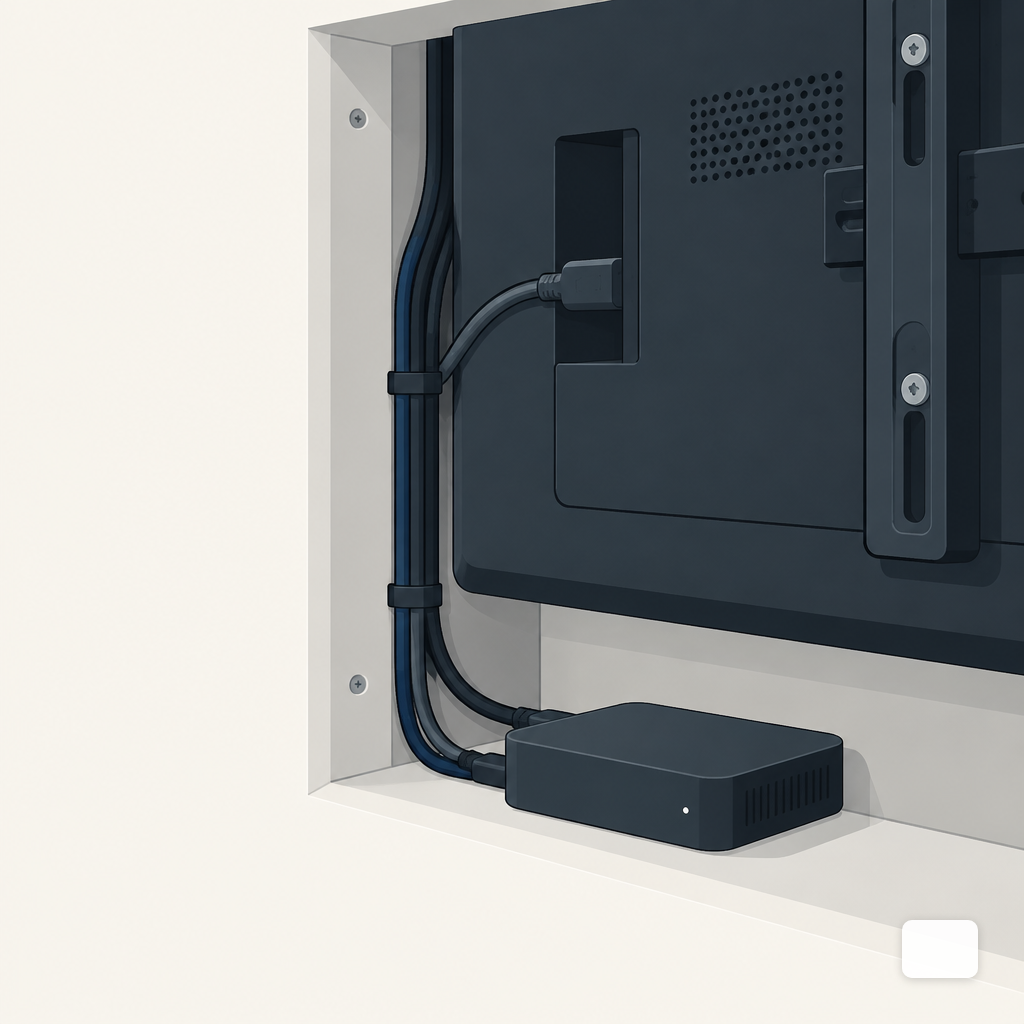
Heat. A stick in free air next to a cold TV runs fine. The same stick taped to the back of a wall-mounted display, inside a recessed enclosure, with afternoon sun on the wall, will thermally throttle. Consumer sticks like the Fire TV Stick are not rated for continuous operation; in the field they throttle, the signage app crashes, and there is no watchdog to recover automatically. Mini PCs have active fans or large metal heatsinks and are specified against a real ambient temperature.
Reboot behavior. Power blips. Breakers trip. Cleaners unplug things. The question is what the player does when power comes back. A commercial signage box boots straight into the signage app. Many sticks boot to a home screen, wait for someone to pick an app, and sit there until you drive over. Amazon removed auto-start support for Fire TV in 2024, which pushed some signage vendors to stop recommending Fire TV Sticks for new deployments.
Remote access. When a mini PC gets stuck, you can usually open a remote session, see what is on screen, kill the browser, restart the player app. When a stick gets stuck, you have an HDMI-CEC command and a prayer. Fleet management tools help, but they help a NUC more than they help a $35 stick with locked-down firmware.
24/7 duty. Even a well-chosen stick is likely to be replaced every two to three years in heavy-use environments, according to Digital Signage Hub. A mini PC rated for sustained operation can run five years and still be inside its service envelope.
Running the Per-Screen Math Honestly
The sticker price gap is wide, but the lifetime gap is narrower than it looks once you count replacements, truck rolls, and the cost of a dead board at lunch rush.
A reasonable Android signage stick, pre-configured for the job, runs about $100. An Intel NUC Celeron or ASUS NUC Essential class mini PC that is actually built for 24/7 lands between $220 and $550 depending on configuration, with PosterBooking pricing the NUC 11 Essential around $220 to $280 barebones. Plan on three stick replacements over a five-year life if you run heavy duty cycles, versus one mini PC that outlasts the window.
Now add the operator costs the spreadsheet usually misses. One truck roll to reboot a frozen player, assuming an hour of a manager's time and nothing else going wrong, is worth more than the price delta on a single unit. Two truck rolls in a quarter and the mini PC has already paid for itself on reliability alone. If menu boards are the context, the year-one cost breakdown walks through where the money actually goes.
Specs to Verify Before You Order Either One
Whichever side you pick, there is a short list of specs that separate a signage player from a toy. Shimeta's guide to 4K signage players flags that a reliable 4K player needs a quad-core CPU or better and a GPU with hardware H.265 decode (Mali-G610 or Intel UHD class), plus HDMI 2.0 or newer for 4K at 60Hz. Below that line, your 4K video will stutter no matter what the box costs.
Beyond the decode floor, look for the following before you add to cart:
- Auto-boot into the signage app. Pull the power, plug it back in, time how long before your content is on screen. Under 90 seconds with no human input is the pass bar.
- Ethernet, not just Wi-Fi. Wi-Fi fails on a schedule you cannot predict. A wired port is the single biggest reliability upgrade on a stick.
- At least 16 GB of eMMC or SSD storage. Enough to cache a week of content so a flaky network does not blank the screen.
- Fanless metal chassis if the player sits in an enclosure. Plastic in a hot cabinet is where sticks go to die.
- Documented remote reboot path. Either from your signage software or from a smart plug on a schedule.
Where the Stick Still Wins
Sticks are not a bad answer everywhere. For a church foyer screen that plays Sunday morning and Wednesday evening, a stick is honest. For a lobby display in an air-conditioned office running ten hours a day, five days a week, a stick is honest. For an event rig that lives in a Pelican case between weekends, a stick is honest.
Sticks also sip power. A Fire TV Stick draws about 4 W during playback and a Chromecast around 2 W, according to XDA's teardown, while a mini PC draws considerably more. Across a hundred screens that difference shows up on a utility bill. Across three it does not.
The Rule for Mixing Both Across a Fleet
Most multi-location operators end up with a mixed fleet, not because they planned it that way but because they bought what the location needed. A deliberate mix is cheaper than a uniform one. The simple rule:
- Mini PC on anything revenue-critical and anything that runs more than 16 hours a day. Drive-thru menu boards, QSR interior menu walls, dispensary product screens, dealership showroom displays, hotel lobby boards.
- Stick on anything intermittent, replaceable within a day, or inside a cool, accessible space. Office lobbies, back-of-house employee screens, church announcements, waiting rooms with short hours, pop-up event displays.
A ranking of where each class earns its place, from the most obvious mini PC job to the most obvious stick job:
For restaurant operators, the pattern is usually mini PCs on the menu boards and drive-thru screens that drive the ticket, with sticks acceptable on back-of-house boards and the waiting-area promo screen. Same approach for a dealership: mini PCs on the showroom walls, sticks fine in the service lounge.
Making the Software Side Pull Its Weight
Hardware choice gets easier when your signage software plays well with both classes. A browser-based player with a strong local cache runs the same loop on a $100 stick and a $500 NUC, which means you can swap hardware at a location without re-authoring content. That is the model AI Digital Signage Software is built around: a web and PWA player that works on Android, Google TV, and modern browsers, so a mini PC and a stick in the same account play the same scheduled content.
The hardware purchase is the part you cannot undo cheaply. Buy for the duty cycle, not the demo. For drive-thru menu boards running fourteen hours a day in July, the mini PC is the honest answer. For the waiting-area screen that gets turned off at six, the stick is the honest answer. Operators who match the player to the load, instead of to the invoice, stop losing weekends to reboots.
Eric Lamanna
Director of Business Development
Eric Lamanna is Director of Business Development at DigitalSign. He works with the people who have to live with their screens after the install is finished: the owners, marketing leads and operations managers deciding whether the USB stick and the spreadsheet of what plays where can survive another location. Most of his time goes on the unglamorous half of that problem: who is allowed to change a board, what happens to a screen when the Wi-Fi drops, and what running signage across many sites really costs once the site visits are counted honestly. He came to signage software through digital sales and product work, with a long-running interest in automation and security, the two places where a manual process quietly becomes a liability. He is a believer in workflows that hold up when somebody is out sick, which for a screen that has to be right every morning is most weeks. Eric holds a degree in multimedia design from Olympic College and lives in Denver, Colorado, with his wife and children.


